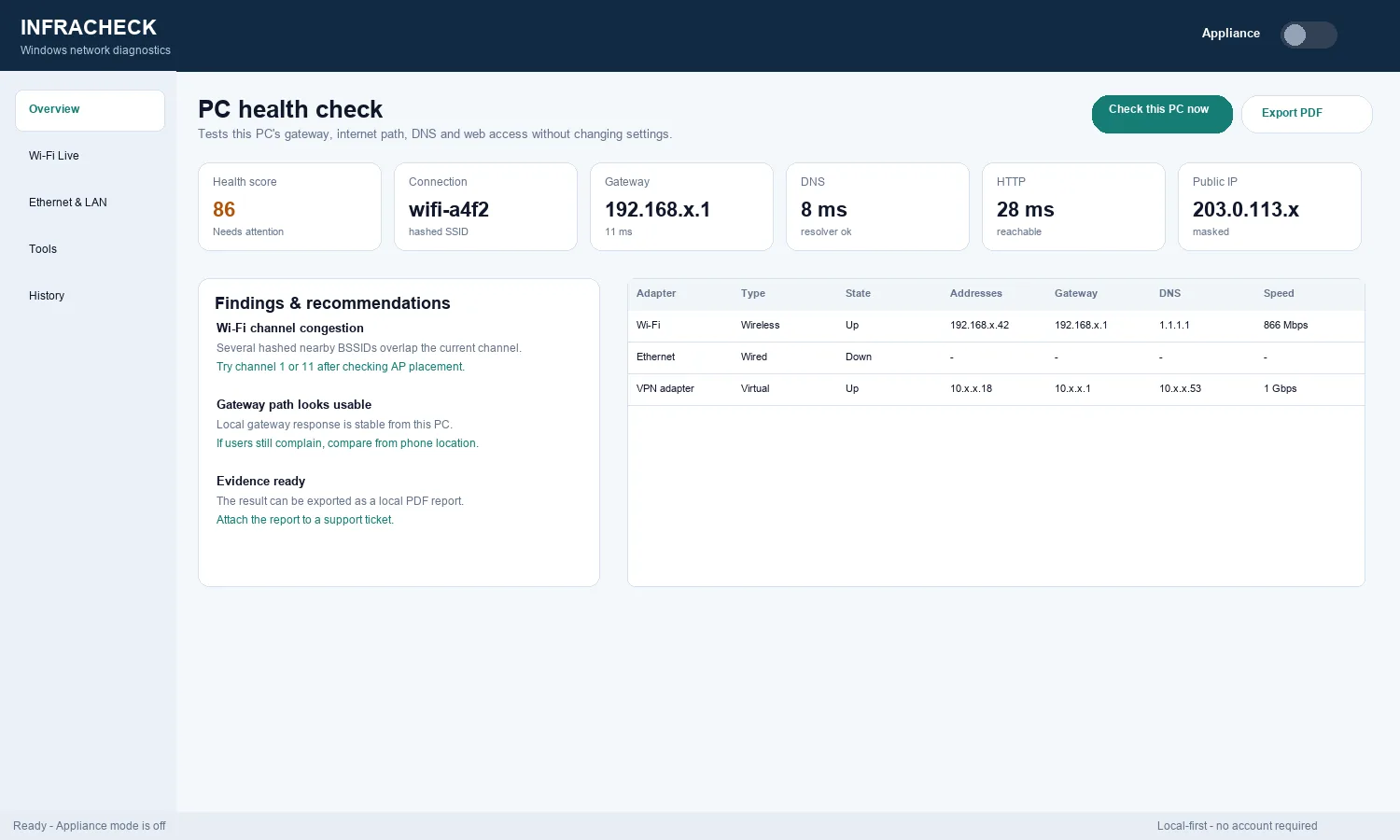
PC health check
Gateway response, DNS latency, HTTP reachability, public IP, active connection, adapter addresses, link state, and recommended next steps.
Windows network diagnostics app
Infracheck for Windows is a local-first desktop diagnostics app for support teams, MSPs, small business admins, and home users who want evidence from the actual Windows PC.
Infracheck for Windows is currently available in English. Multilingual Windows support is planned for a later release. The translated website explains the Windows workflow in your selected language, but the current desktop interface and the Infracheck Appliance/container interface remain in English.
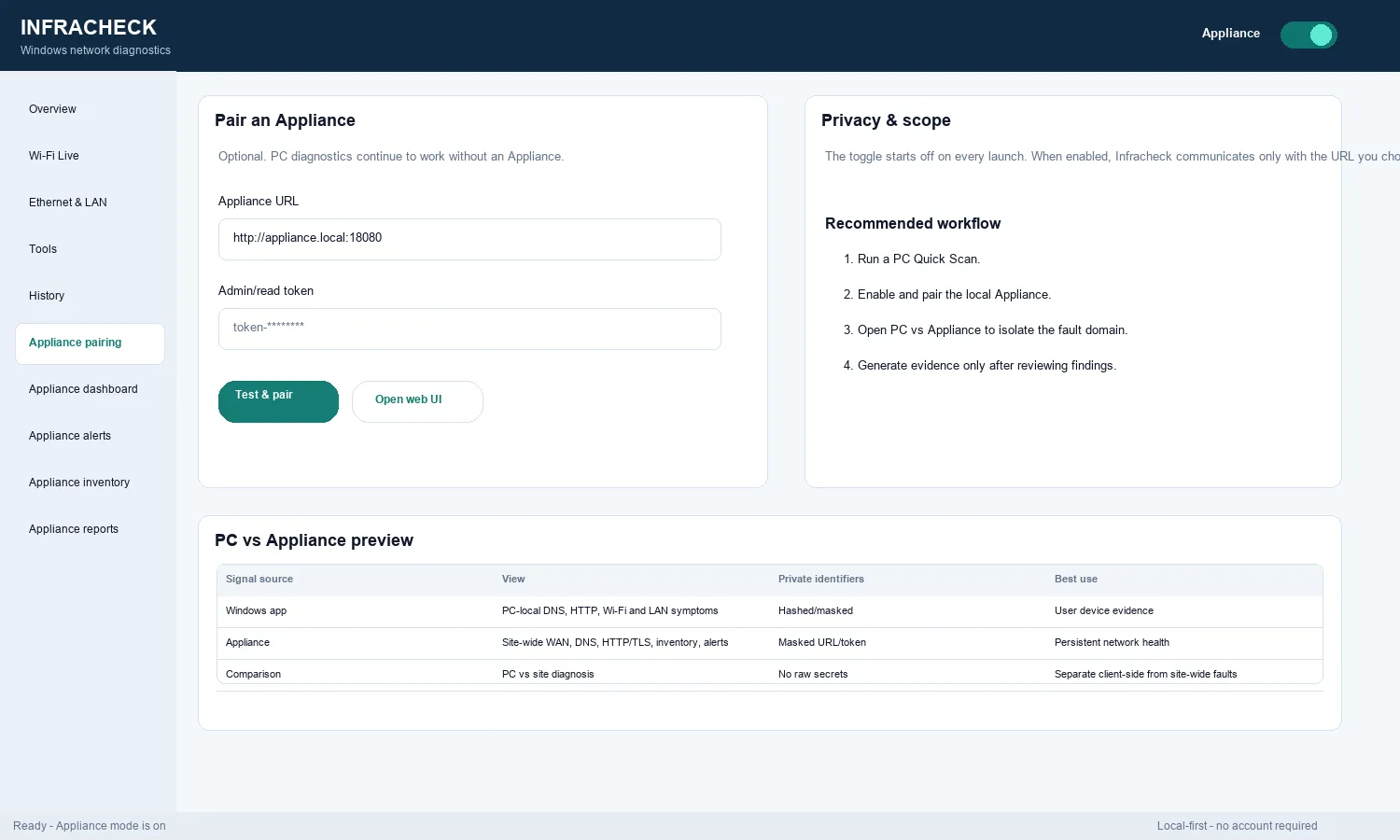
The Windows app is useful when the complaint is tied to a laptop, desktop, wired adapter, VPN path, DNS resolver, local subnet, or Windows Wi-Fi environment.
Gateway response, DNS latency, HTTP reachability, public IP, active connection, adapter addresses, link state, and recommended next steps.
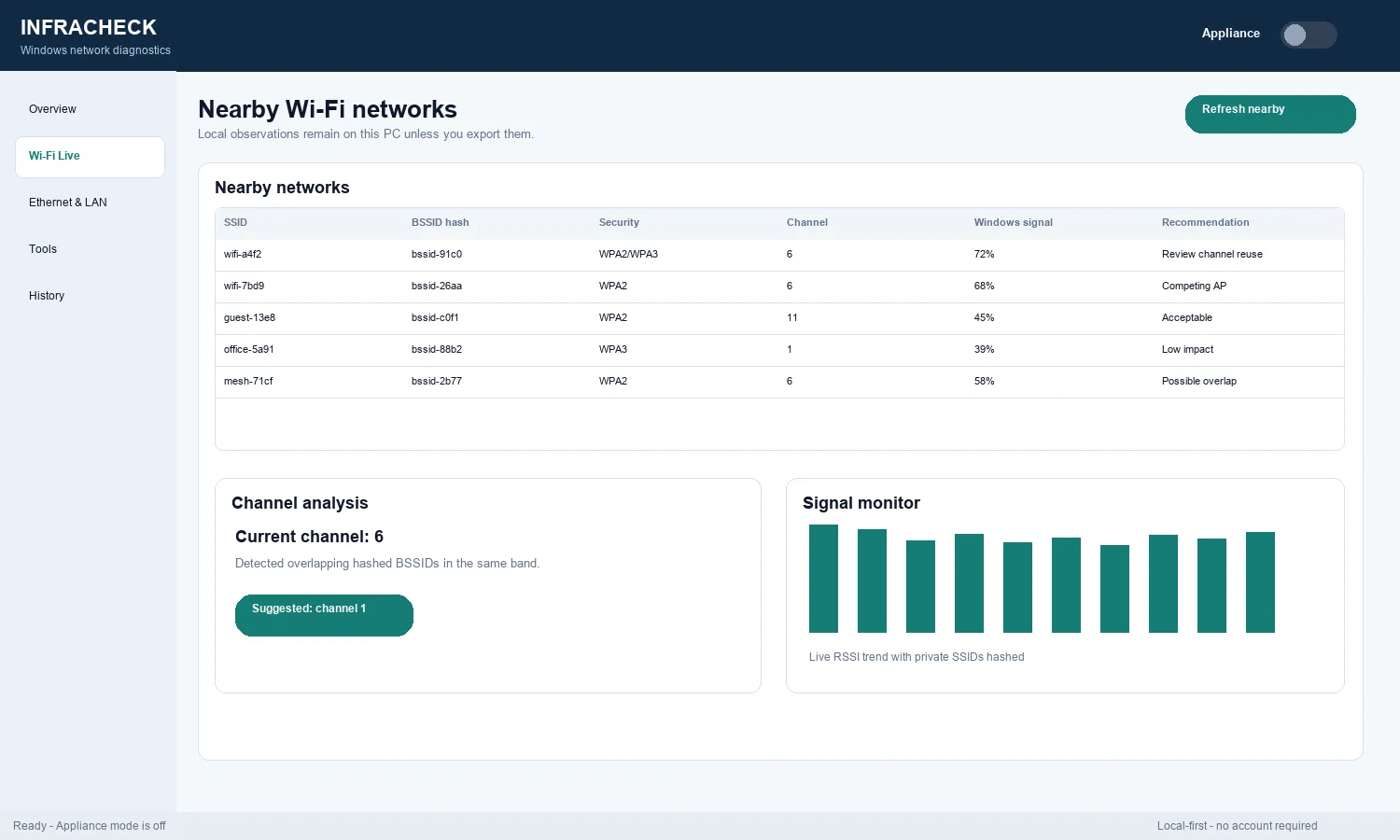
Nearby networks, hashed SSIDs/BSSIDs in public evidence, channel analysis, Windows signal view, and live signal monitor.
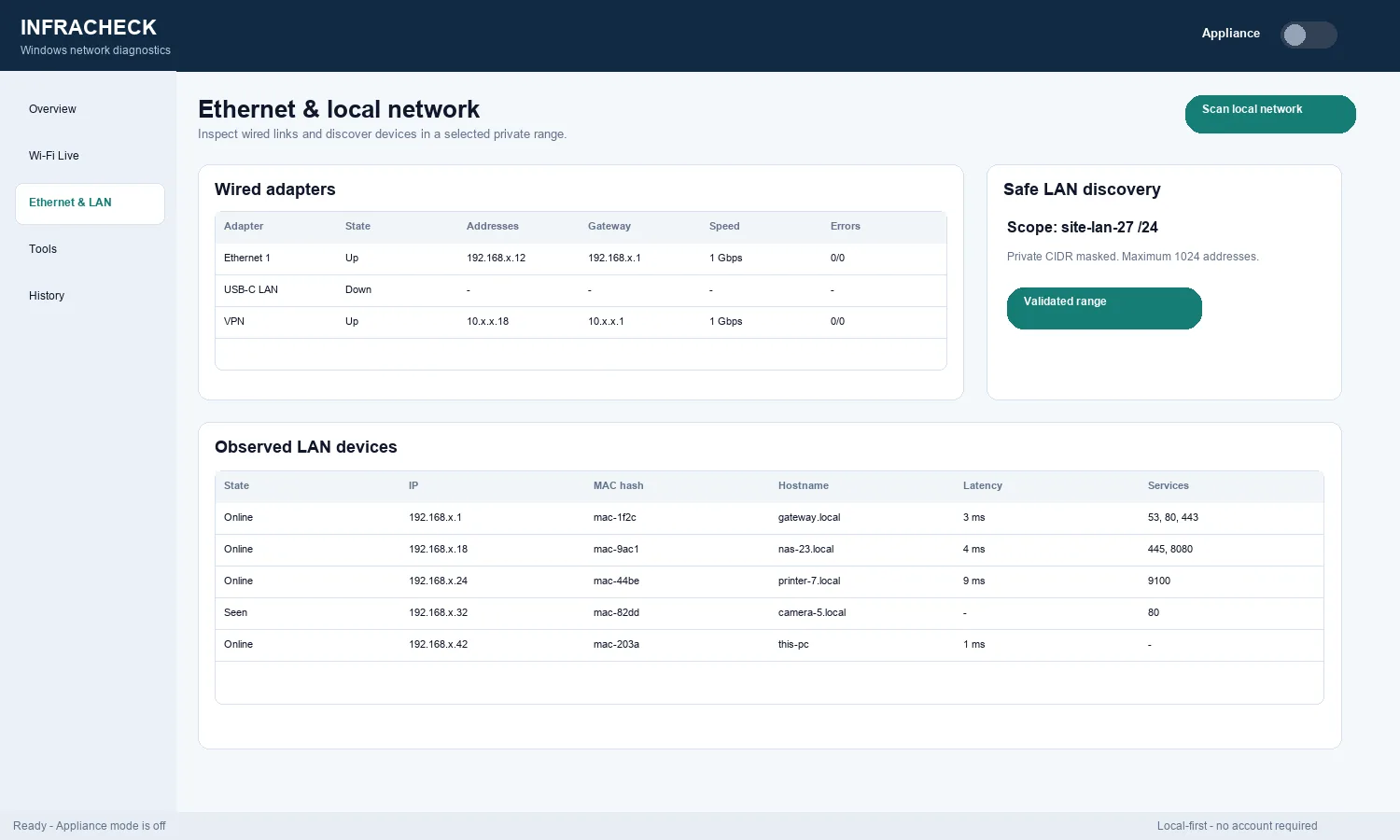
Wired adapter state, speed, traffic counters, safe LAN discovery, hostnames, masked MAC/IP evidence, and observed services.
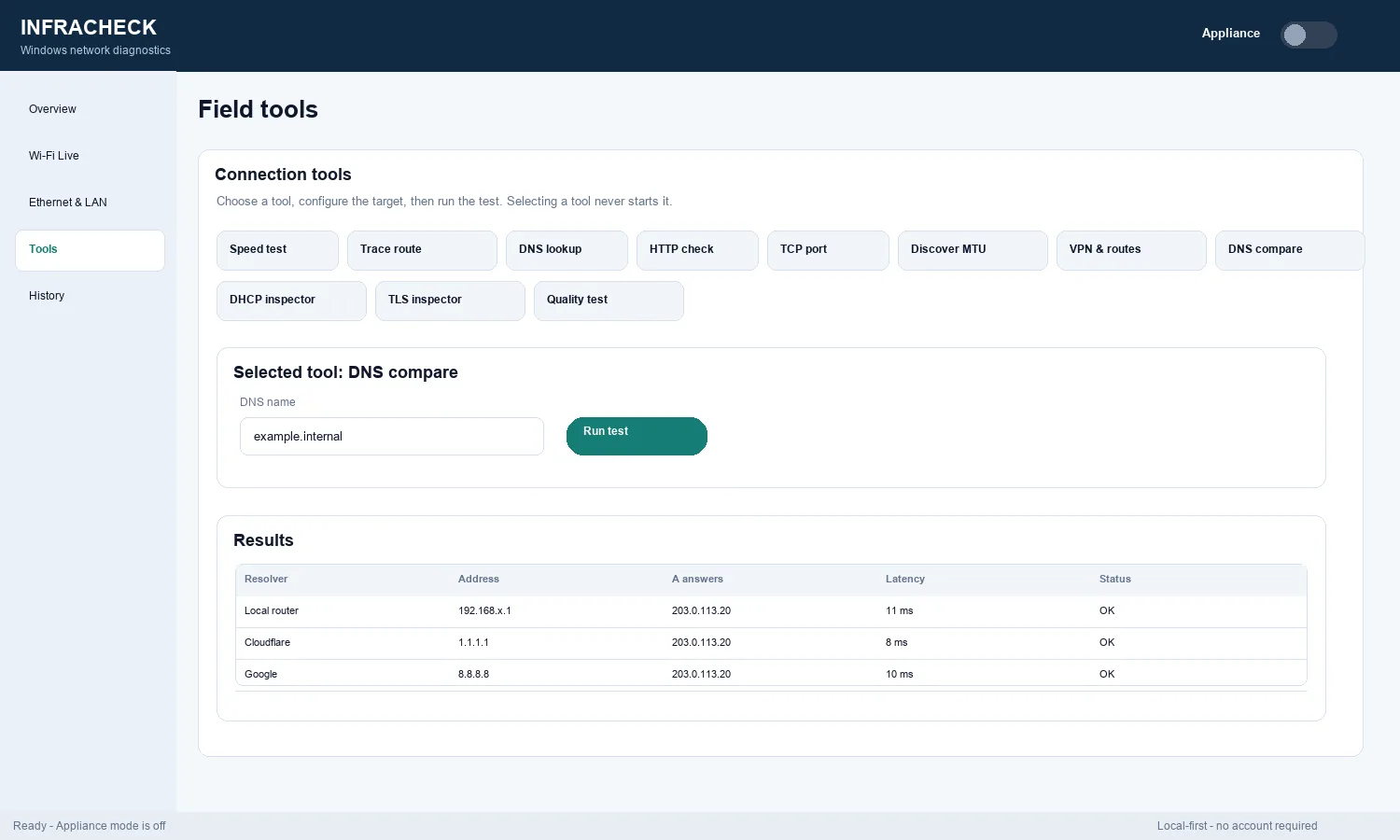
Speed, trace route, DNS lookup, HTTP check, TCP port, MTU discovery, VPN/routes, DNS comparison, DHCP inspector, TLS inspector, and quality test.
Local history and PDF reports make it easier to show what was checked and why the likely fault domain is PC, Wi-Fi, LAN, DNS, WAN, or service path.
Appliance mode is off by default. When enabled, it compares the Windows PC view with the local appliance view for stronger fault isolation.
Free Windows app