Quick Scan from the user location
Capture SSID, BSSID, RSSI, link speed, channel, IP/DHCP details, DNS latency, HTTP reachability, public IP, and captive portal status.
Android and Windows network diagnostics
Free Android and Windows apps for Wi-Fi, Ethernet, LAN, DNS, HTTP, TCP/TLS, captive portal checks, and shareable evidence. Add the free local appliance when a site needs continuous telemetry, inventory, alerts, and reports.
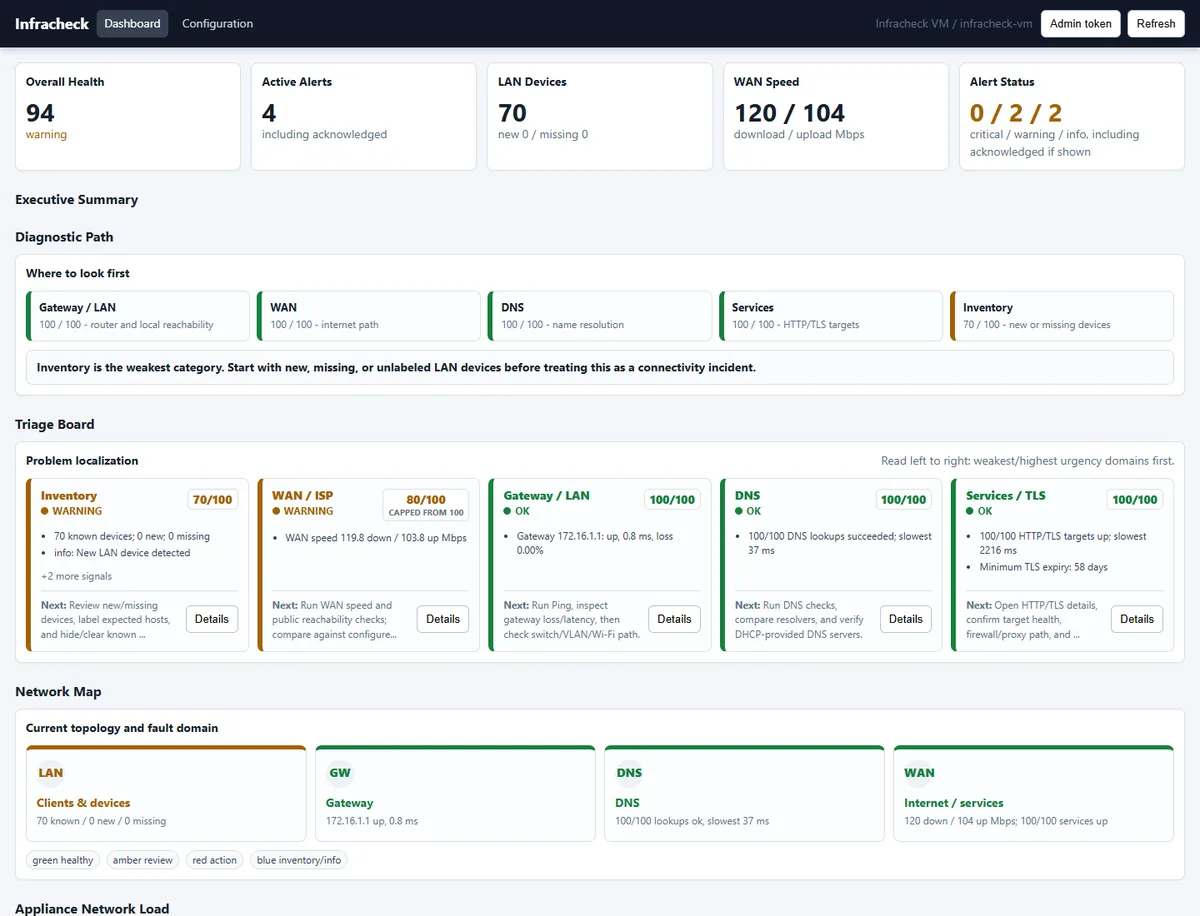
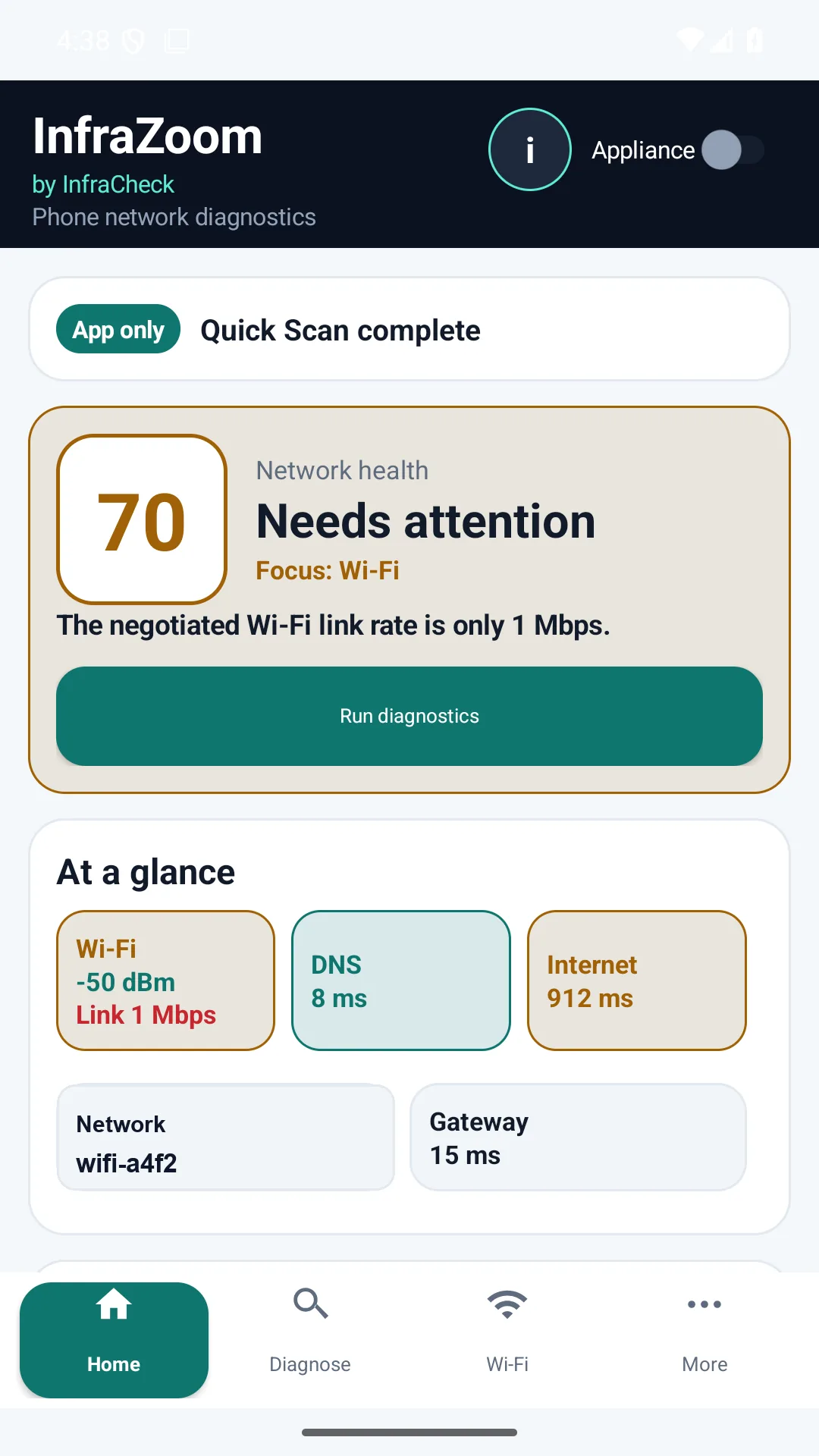
Use App Only mode when you need a fast answer from the device that is actually experiencing the problem. At home, it helps you understand your own Wi-Fi before changing routers or calling the ISP. In a professional workflow, it captures user-side evidence during a support visit: Wi-Fi signal, BSSID, channel, roaming, DNS, HTTP, captive portal behavior, public IP, recommendations, and shareable reports.
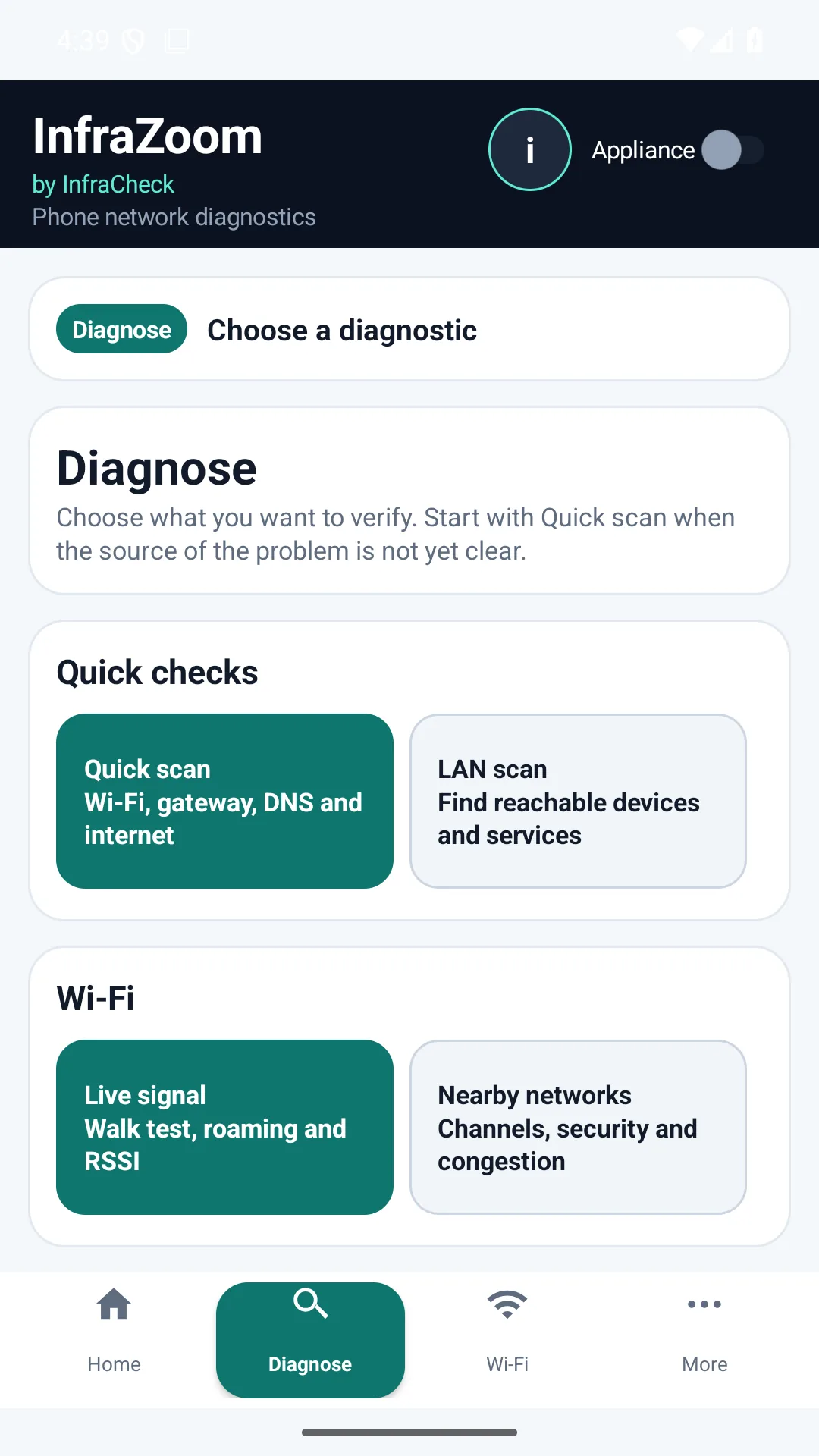
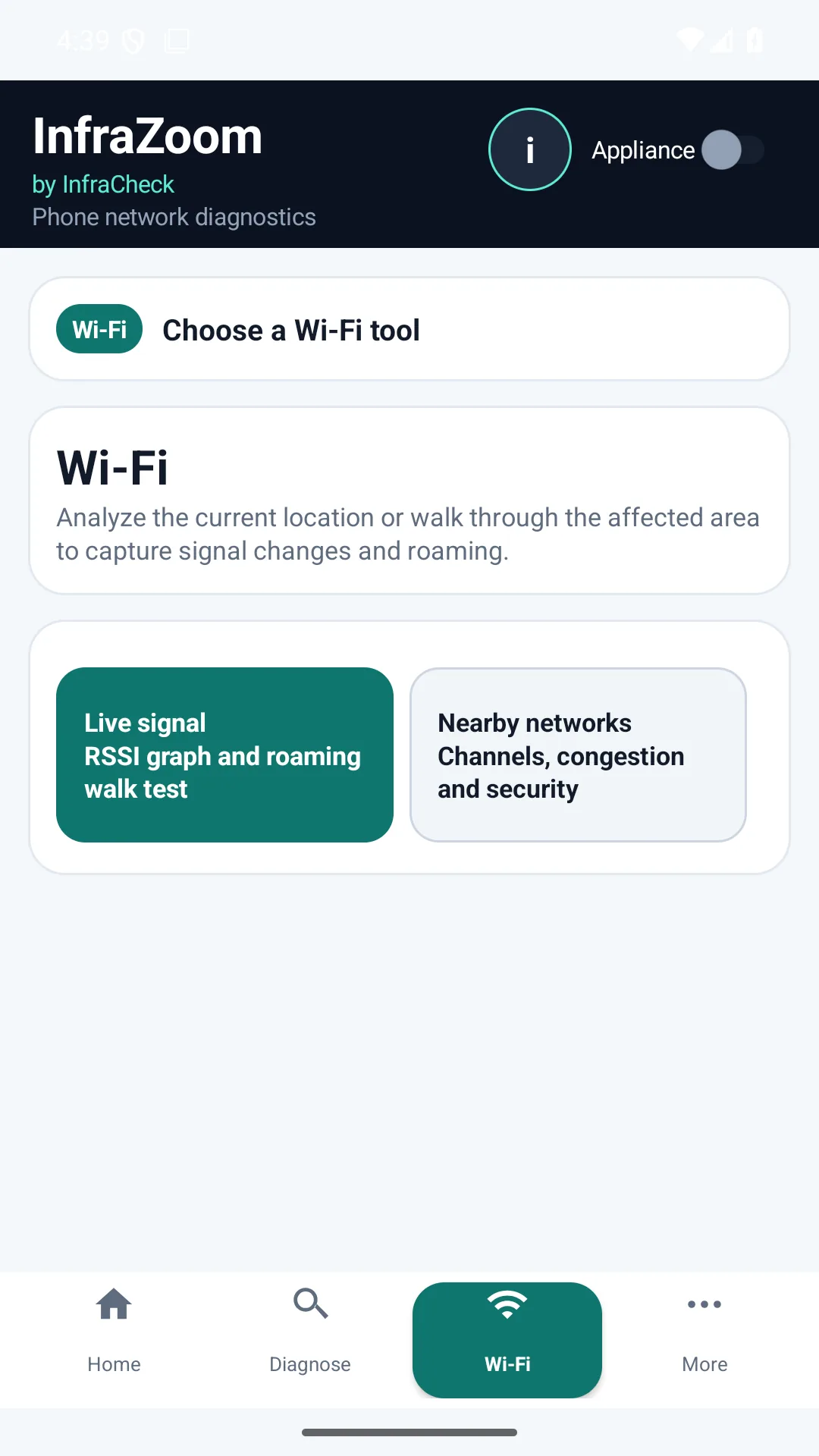
Capture SSID, BSSID, RSSI, link speed, channel, IP/DHCP details, DNS latency, HTTP reachability, public IP, and captive portal status.
Use the Wi-Fi hub for Live signal walk tests and nearby network analysis: RSSI, channel context, congestion, BSSID changes, and client-side symptoms.
App Only mode is useful before any appliance exists. It gives home users and support teams enough proof for many Wi-Fi and internet complaints.
When a local appliance is deployed, the app adds Appliance navigation, pairing, health, reports, configuration, Site AutoTest, field tools, and phone-vs-site comparison.
Infracheck starts with a simple app for the person having the problem. The same evidence can then support a more formal IT workflow when a home, office, or customer site needs history, reports, and appliance telemetry.
Use the Android or Windows app to understand slow Wi-Fi, weak signal, DNS issues, captive portals, router reachability, and whether the problem is inside your home network.
Use App Only for first-visit diagnostics, then add the free appliance for continuous local telemetry, reports, and phone-vs-site fault isolation.
The Windows app covers the user workstation side: PC health checks, adapter details, Wi-Fi live views, Ethernet inspection, safe LAN discovery, DNS/HTTP/TCP/TLS tools, VPN/routes, DHCP checks, local history, and PDF evidence. Appliance mode stays optional and starts disabled.
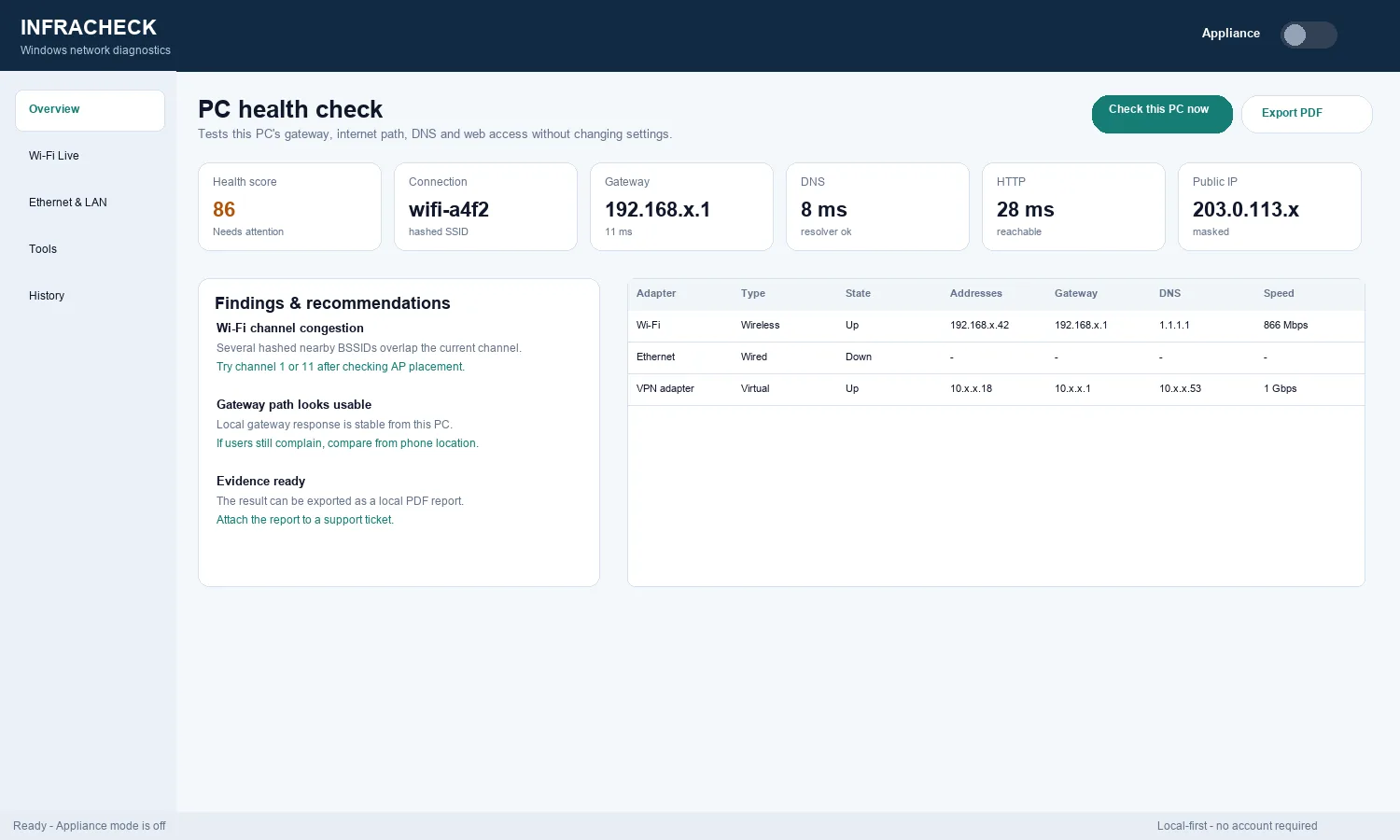
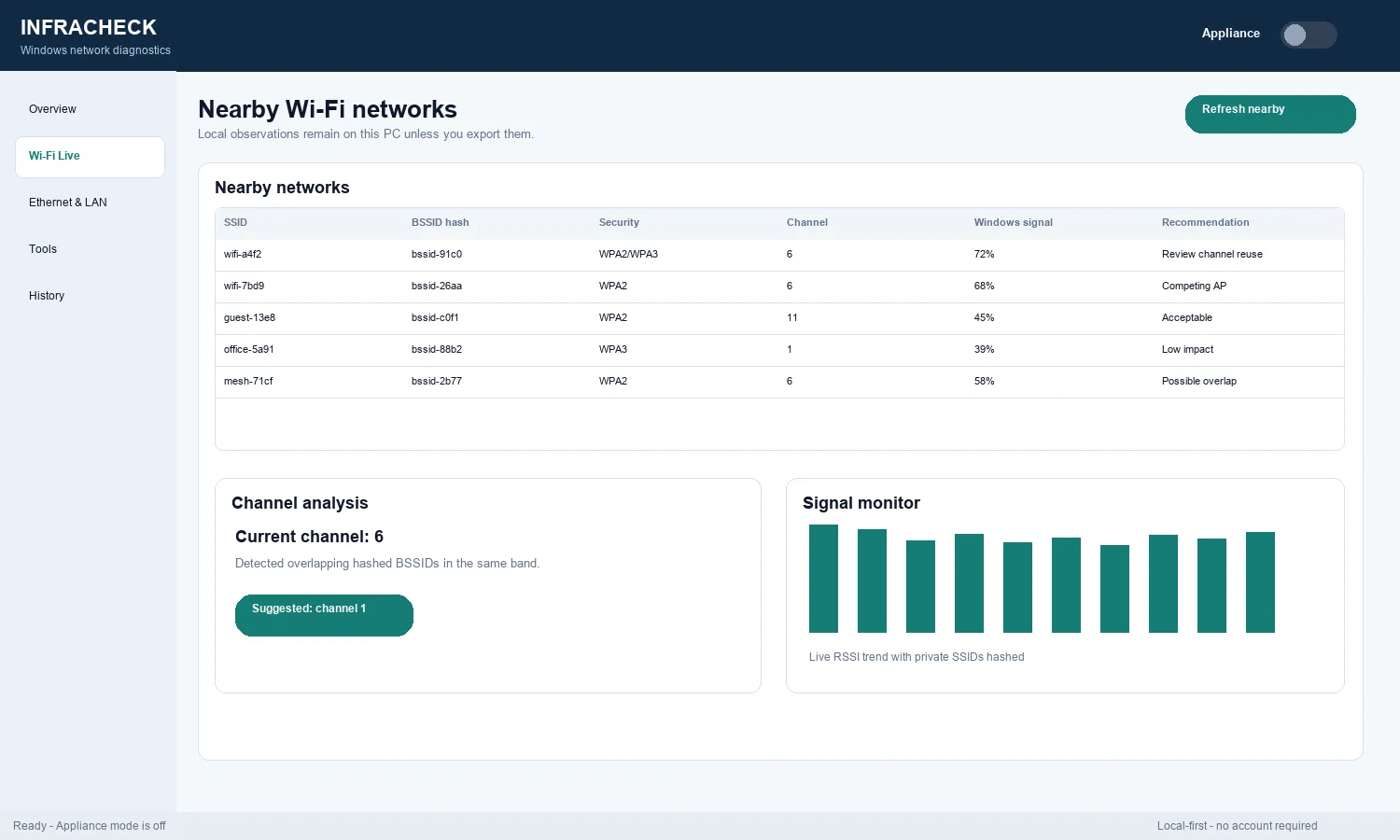
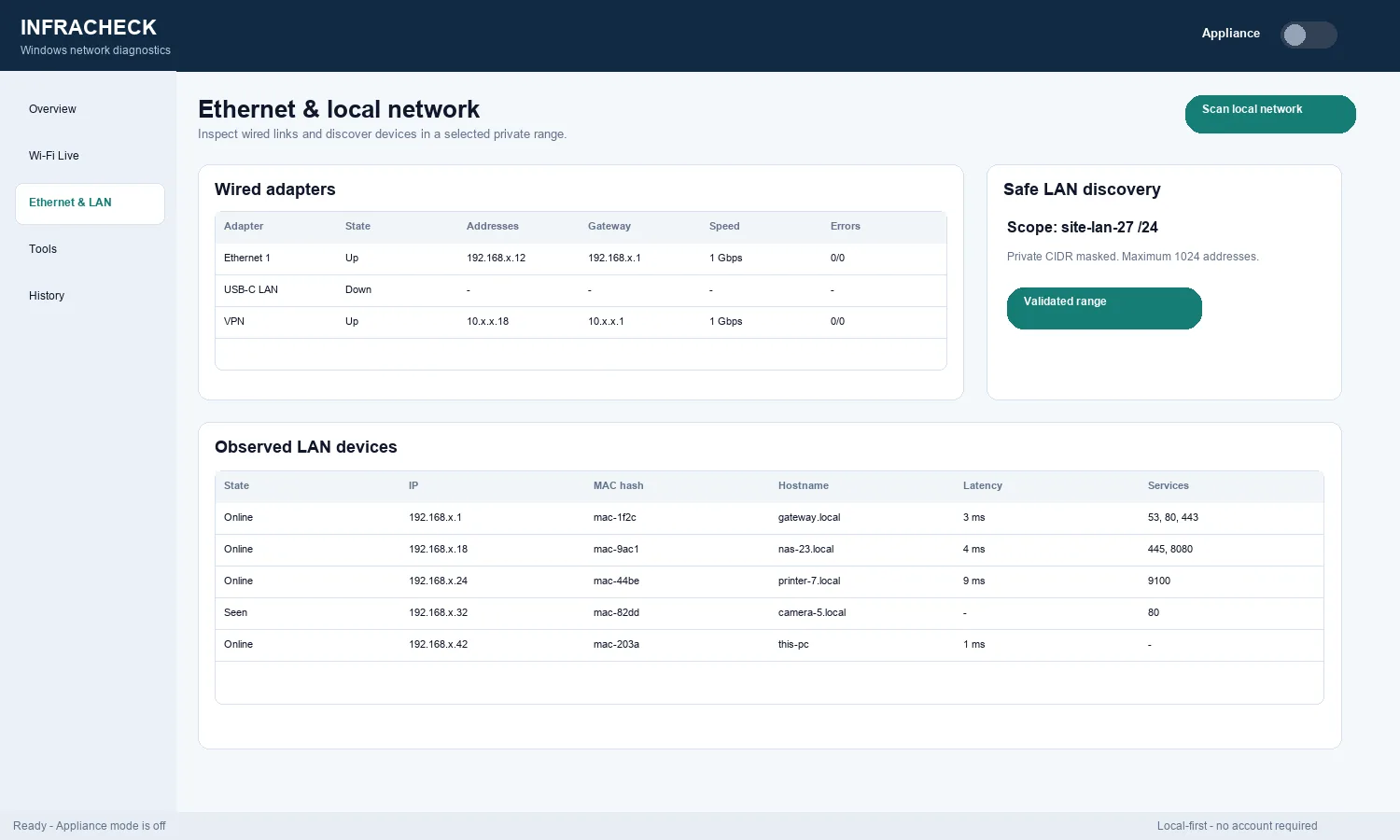
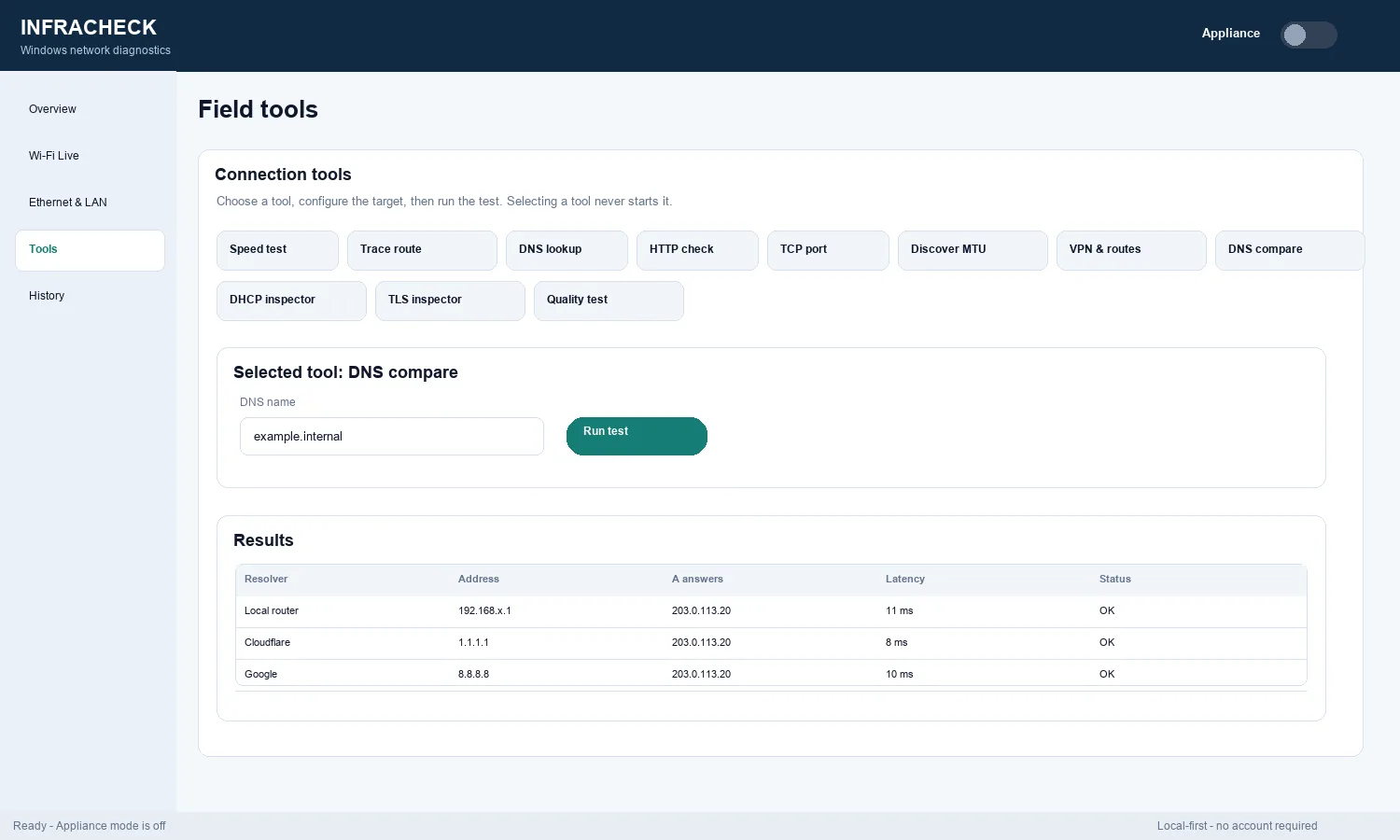
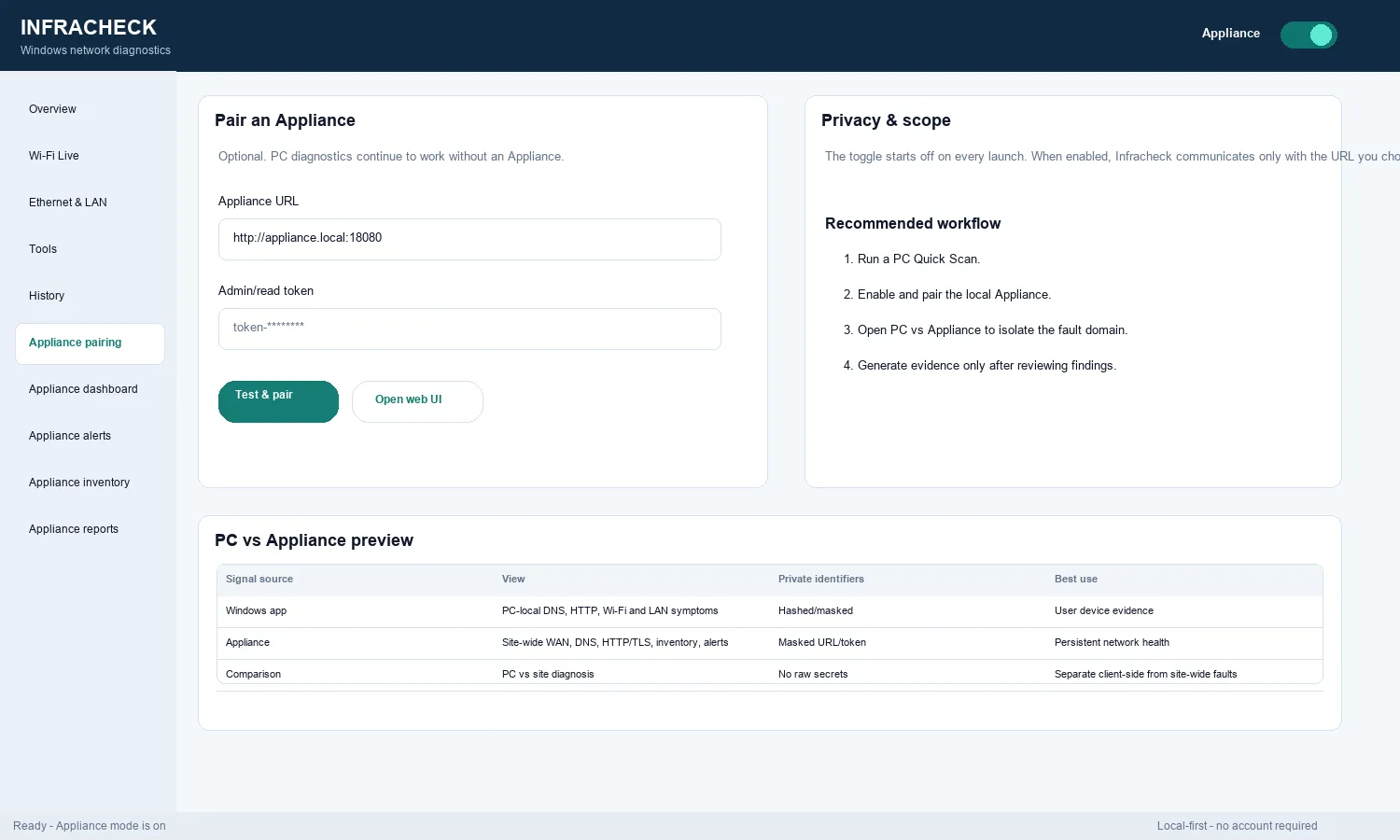
Gateway, DNS, HTTP, public IP, adapters, Wi-Fi quality, Ethernet status, routes, VPN, and safe tool-driven checks.
Nearby Wi-Fi analysis uses hashed SSIDs/BSSIDs in public screenshots. LAN discovery masks private addressing while keeping the workflow clear.
Local history and PDF evidence help explain what was tested, when it was tested, and which fault domain is most likely.
Start with the free Android or Windows app. Add the free appliance for continuous site telemetry. Add Premium only when you need central operations across multiple customer locations.
The primary field product: Quick Scan, Diagnose hub, LAN scan, Wi-Fi Live, nearby networks, captive portal detection, phone-side DNS/HTTP checks, history, share output, and PDF evidence.
PC health checks, Wi-Fi and Ethernet diagnostics, safe LAN discovery, route/VPN/DHCP/TLS tools, DNS comparison, local history, PDF evidence, and optional appliance pairing.
Docker-based monitoring for ping, DNS, HTTP/TLS, WAN speed, packet loss, LAN inventory, alerts, reports, history, pairing, local throughput, VoIP readiness, path checks, and appliance configuration from the app.
Compare what the user's phone sees with what the local appliance sees to isolate client-side vs site-wide faults.
Create timestamped support snapshots with findings, charts, recommendations, and exportable reports for customer conversations.
The app works standalone first. When paired with an appliance, it also becomes a mobile console for discovery, pairing, health, alerts, inventory, reports, configuration, Site AutoTest and field diagnostics.
Self-hosted central portal for multiple appliances, alert routing, white label, branded reporting, roles, API, and webhooks.
The free Docker appliance is not required for App Only diagnostics. Deploy it when a customer site needs persistent local telemetry after the technician leaves.
Scheduled ping, packet loss, jitter, DNS, HTTP/HTTPS, TLS expiry, and WAN speed checks.
Device inventory, new devices, missing devices, hostname overrides, and technician notes.
Health score, verdict engine, fault-domain hints, problem radar, recommendations, and triage board.
PDF reports with score cards, alerts, checks, graphs, inventory, min/avg/max statistics, and historical evidence.
These are the conversations Infracheck is designed to simplify: intermittent problems, unclear responsibility, no historical data, and customers asking for proof.
The app gives immediate phone-side proof. If the issue needs history, the appliance tracks WAN speed, packet loss, gateway latency, DNS response, and HTTP reachability over time.
Outcome: prove whether the fault is ISP, gateway, DNS, Wi-Fi, or an external dependency.The app records RSSI, BSSID changes, channel behavior, and roaming/handover results during a technician walkthrough.
Outcome: separate coverage, roaming, congestion, and client-side problems.The appliance discovers LAN devices, tracks new and missing devices, and lets technicians annotate inventory.
Outcome: give customers inventory visibility without a heavy enterprise platform.Generate customer-ready reports with health score, findings, charts, alerts, inventory, and recommendations.
Outcome: turn support work into visible value and renewal evidence.Download the Android or Windows diagnostics app first. Add the container only when a customer site needs persistent local telemetry. Add Premium when you need centralization and automation.


| Feature | Android | Windows | Premium |
|---|---|---|---|
| Starting price | Free | Free | Paid license |
| Quick health check | Wi-Fi, gateway, DNS, HTTP | PC, adapters, gateway, DNS, HTTP | Managed-site overview |
| Wi-Fi diagnostics | Signal, channel, nearby networks, roaming | Live signal, BSSIDs, channel graph, roaming monitor | Evidence across managed sites |
| Ethernet and PC diagnostics | Not applicable | Adapters, Ethernet, VPN, routes, DHCP, MTU | Included through Windows clients |
| LAN discovery and inventory | Phone subnet scan; persistent Appliance inventory and device intelligence** | Safe discovery with local history; persistent Appliance inventory and device intelligence** | Multi-instance inventory views |
| Connection tools | DNS, HTTP and captive-portal checks; coordinated site tests** | DNS comparison, HTTP/TLS, TCP, trace, throughput and quality | Coordinated diagnostics across sites |
| Device vs. site comparison | Phone vs. Appliance** | PC vs. Appliance** | Cross-site comparisons |
| Continuous monitoring | Local site monitoring** | Local site monitoring** | Centralized monitoring |
| Field validation | Wi-Fi Live and roaming; Site AutoTest, local throughput, VoIP readiness and path checks** | Guided Wi-Fi validation and PC connection-quality tests | Centralized validation history |
| Floor-plan Wi-Fi survey | Included** | Not available | Centralized project history |
| Alerts, configuration and reports | Appliance alerts, configuration and reports** | Appliance alerts, configuration and reports** | Branded reports and operational routing |
| Self-hosted multi-instance portal | No | No | Included |
| White label and multi-tenant operations | No | No | Included |
** Requires the free Infracheck Appliance: deploy the optional container on the local network and pair the app with it. Both Android and Windows can use the Appliance dashboard, device-versus-site comparison, alerts, inventory, configuration and reports. Site AutoTest, phone-to-Appliance throughput, VoIP readiness and the floor-plan survey are currently Android-only field workflows.
Infrazoom for Android 1.6.0 is available in English, French, German, Spanish, Brazilian Portuguese and Italian. Infracheck for Windows and the Infracheck Appliance/container are currently English-only. Multilingual Windows support is planned for a later release. This website is also available in Romanian, ahead of a Romanian Android interface.
Use these pages for deeper details. The homepage stays focused; the guides carry the product documentation, search intent, comparisons, and support workflows.
Phone-side Wi-Fi, DNS, HTTP, captive portal, signal, channel and roaming evidence.
PC health checks, Wi-Fi/Ethernet diagnostics, LAN discovery, route/DHCP/TLS tools and PDF evidence.
When to add persistent local telemetry, WAN checks, LAN inventory, alerts and reports.
Choose App Only, deploy the free appliance, or contact us about MSP early access.
Customer-ready PDF reports with health scores, findings, graphs, inventory and recommendations.
What a customer-ready evidence report can include for Wi-Fi, DNS, WAN, LAN and recommendations.
Practical checks for signal, DNS, gateway, internet delay and nearby network congestion.
Support-ready workflows for IT teams, field technicians, MSPs and small business administrators.
Check signal, gateway, DNS, latency, jitter, packet loss, HTTP/TLS and support evidence beyond raw Mbps.
Separate client-side, Wi-Fi-side, LAN-side and upstream faults with Android, Windows and appliance evidence.
Evidence-based troubleshooting before changing routers or blaming the internet provider.
Capture RSSI, BSSID changes, channel context and nearby networks during a walk test.
How MSPs use field diagnostics, local appliances, and reports without forced cloud SaaS.
Product status, free tools, public repositories, local-first model and Premium roadmap.
Objective comparisons with monitoring, Wi-Fi survey and uptime tools.
Contact us