Sample report
A customer-readable report should explain what was tested and what to do next.
Infracheck evidence reports are designed for support tickets, customer reviews and incident follow-up. The exact output depends on whether the app runs standalone or is paired with a local appliance.
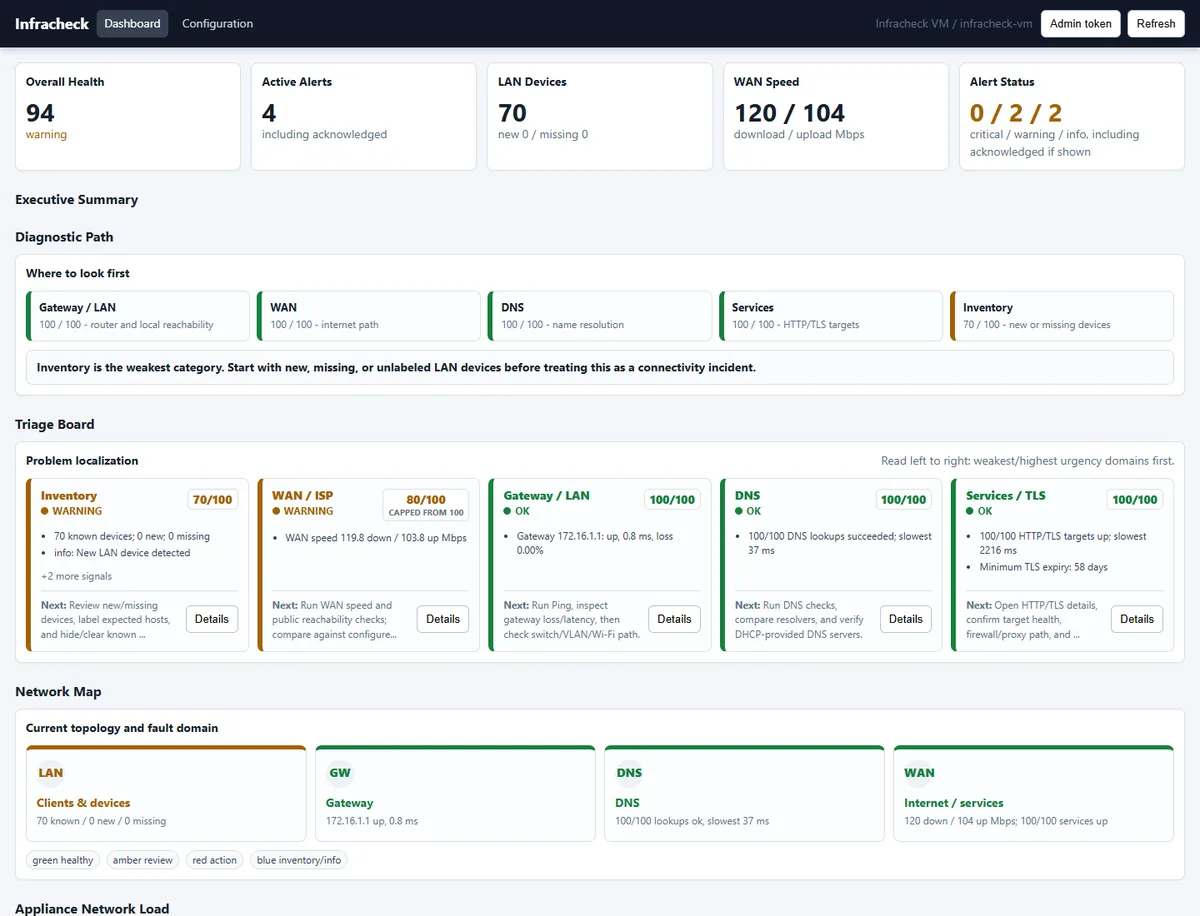
Example report sections
- Executive summary: health score, verdict and the most likely source of the problem.
- Client evidence: Android or Windows Wi-Fi, DNS, gateway, HTTP, LAN and local device checks.
- Site evidence: appliance WAN, DNS, HTTP/TLS, packet loss, alerts, LAN inventory and history.
- Findings: plain-language explanation of what is healthy, degraded or needs attention.
- Recommendations: next actions such as AP placement review, DNS change, ISP escalation or LAN inventory cleanup.
Why this matters
Without a report, network troubleshooting often ends as a verbal opinion. A report gives the customer a timestamped record of checks, symptoms, context and next steps.